

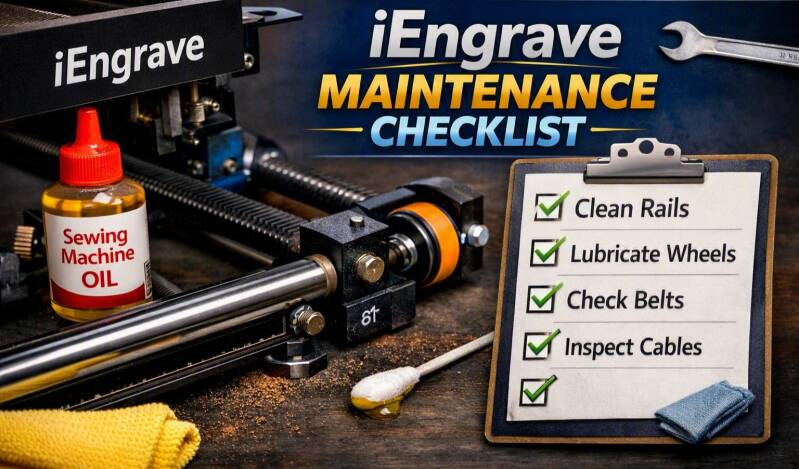
Keeping your iEngrave running smoothly isn’t complicated, but it does require regular attention. This checklist covers everything you should do to keep your machine clean, quiet, and cutting consistently.
Routine Cleaning
- Rails and Rods: Wipe down the X‑axis rod and Y‑axis rails with a dry, lint‑free cloth after every few engraving sessions. This removes soot, smoke residue, and dust that can build up from cutting wood, acrylic, or coated materials.
- V‑Wheels: Inspect the wheels for debris or buildup. Clean gently with a soft brush or cloth.
- Laser Lens: Use lens wipes or compressed air to remove dust. Never touch the lens directly with your fingers.
- Work Area: Vacuum or wipe down the bed and surrounding area to prevent debris from getting into the rails.
Lubrication
- Frequency: Every 2–3 weeks for regular use; every 1–2 weeks if you engrave daily.
- Lubricant Type: Use light machine oil (sewing machine oil or Tri‑Flow). Avoid WD‑40, silicone spray, grease, or 3‑in‑1 motor oil.
- Application Points:
° X‑axis rod (the metal bar the laser head slides left/right on)
° Y‑axis aluminum rails (the long rails the gantry moves front/back on)
° V‑wheel bearings (the small metal bearing in the center of each wheel)
- Method: Apply one tiny drop of oil to a cotton swab, wipe a thin film on each area, move the gantry/head by hand to distribute, and wipe off excess.
Inspection
- Belts: Check tension monthly. Belts should be snug but not overly tight.
- Wheels: Spin each wheel by hand to ensure smooth movement. Replace if cracked or worn.
- Rails: Look for scratches or oxidation. Clean and re‑oil if needed.
- Cables: Make sure all cables are secure and not rubbing against moving parts.
Air Assist & Ventilation
-
Air Assist: Keep the nozzle clean and check airflow regularly.
-
Vent Hose: Inspect for blockages or buildup. Clean monthly.
- Fan Filters: Remove and clean filters every few weeks to maintain proper airflow.
Electrical & Software
- Firmware Updates: Check for updates monthly to ensure optimal performance.
- Connections: Inspect USB and power cables for wear or looseness.
- Calibration: Run a quick focus test after major cleaning or lubrication.
Quick Reference Schedule
| Task | Frequency |
|---|---|
| Clean rails & rods | Every few sessions |
| Lubricate rails & wheels | Every 2–3 weeks |
| Check belt tension | Monthly |
| Clean lens & air assist | Weekly |
| Inspect cables & connections | Monthly |
| Firmware updates | Monthly |
Regular maintenance keeps your iEngrave smooth, quiet, and precise — and prevents those scraping or grinding noises before they start.
Ad & Affiliate Link Disclaimer
Some posts on this blog contain affiliate links or advertising links. If you click through and make a purchase, I may earn a small commission at no additional cost to you. These commissions help support my creative work and the free resources I share with this community. I only recommend products and services I genuinely believe in and feel align with the heart of Sam’s Signature.
Add comment
Comments